Lyft Gift Card
Limits between $25-200
Terms and conditionsRide, bike, scoot. There’s lots to do in your city, and we’ve got the rides to help you enjoy it all. Wherever you’re headed, download the Lyft app and get going.
Why Send a Lyft Gift Card with CardSnacks?
Unlike a standard digital gift card, CardSnacks turns your gift into an experience.
- Instant delivery by text or email
- Personalize with heartfelt (or funny!) message
- No shipping needed — delivered digitally in minutes
Related Travel Gift Cards
Looking for something similar? Explore other popular travel gift cards:








How It Works
Select your gift card and set the amount.
Choose from 1000s of ecard designs to make your gift card extra special.

Personalize your card with a heartfelt message, stickers, gifs, & more.
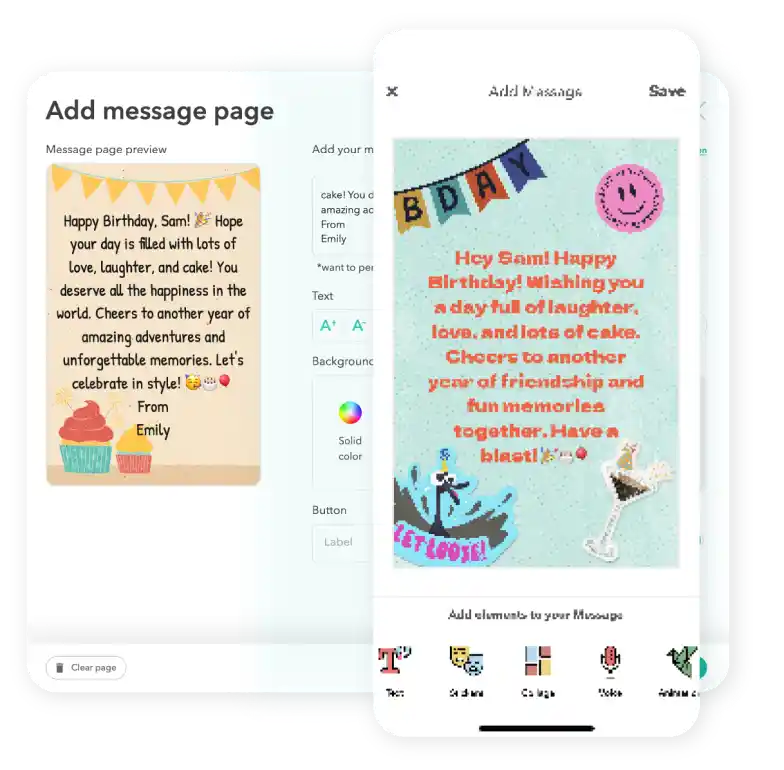
Schedule your card to be sent instantly or for a future date via email or text message

Lyft Digital Gift Card FAQs
Yes, you can send your gift card last minute or schedule it ahead of time to be sent via text message or email.
In most cases, yes. Many gift cards offer flexible denominations, allowing you to select an amount that fits your budget. Available amounts may vary by brand.
Yes! The recipient does not need to have the CardSnacks app. They'll receive the gift card via a link that can be opened on any device.
No, you are not able to combine multiple gift cards into one card. We only allow one gift card per ecard sent.
Yes, you can preview exactly how the eCard and gift card will appear to the recipient before sending it.